LLM-as-Judge Test Harness and Local Dashboard for a Regulated Policy Chatbot
QA on an LLM is the worst of both worlds. The transport is deterministic, the output isn't. A QA team grading a regulated policy chatbot was burning a week per release reading hundreds of responses by hand. We built a two-half harness, a runner that collects responses and an LLM-judge evaluator that grades them with three verdicts and a written rulebook, wrapped in a live local dashboard. The spreadsheet is the source of truth. The runner and the evaluator re-run independently. The team got the week back, and what they spend their attention on now is the 5% of cases where the model and a human disagree.
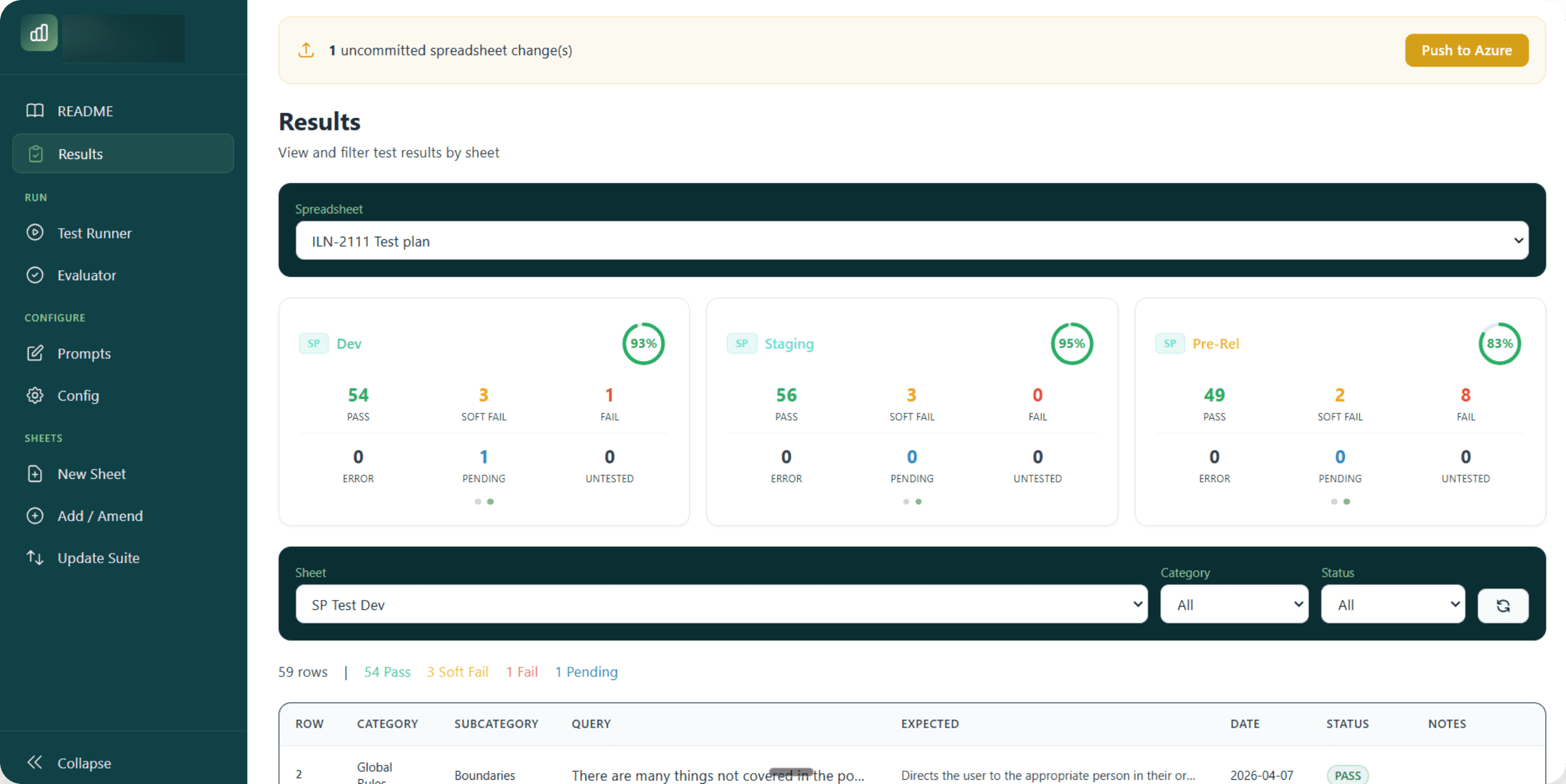
Results at a glance · per-environment pass / soft-fail / fail breakdown
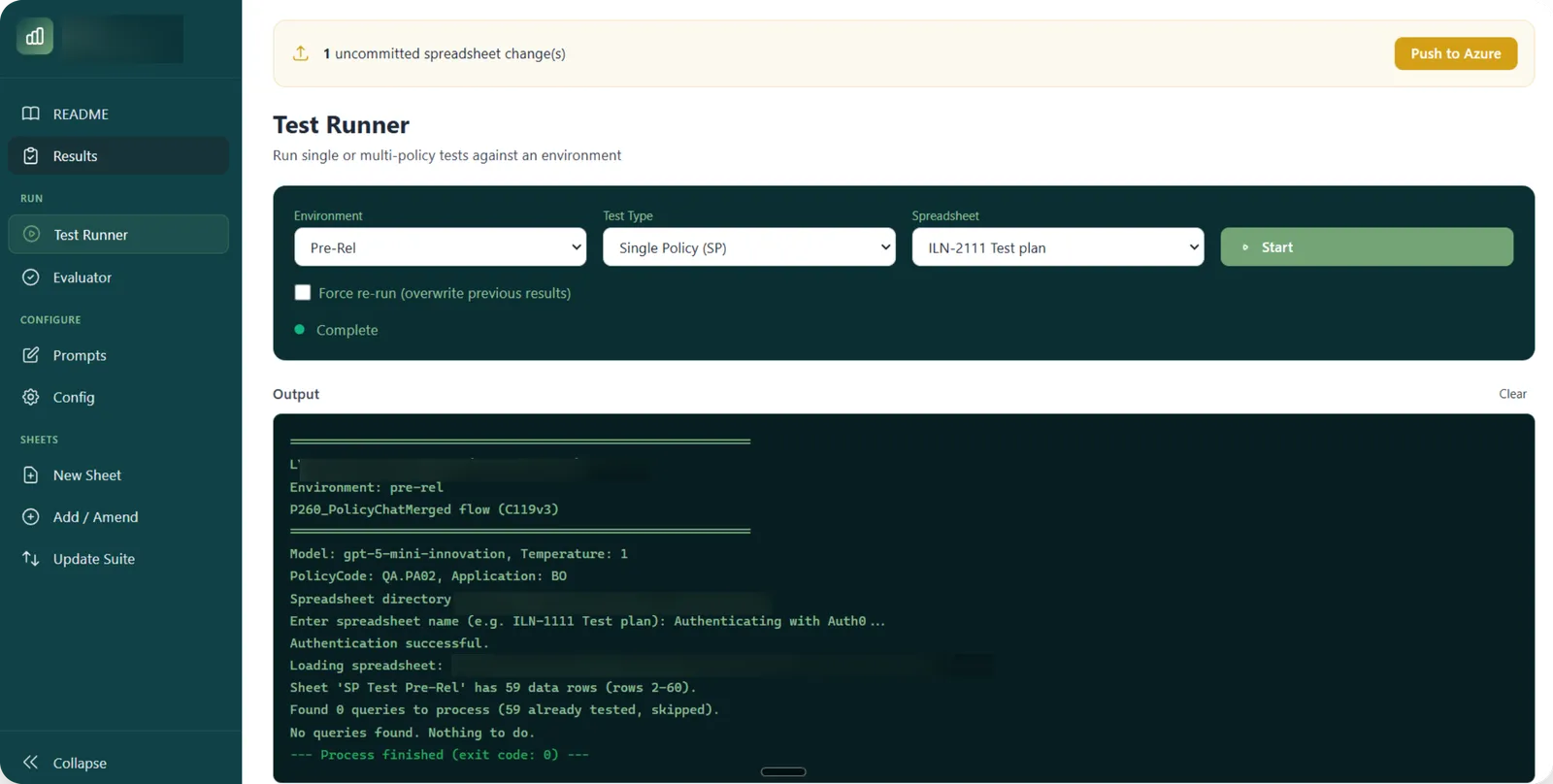
Test runner · live SSE log of the runner subprocess
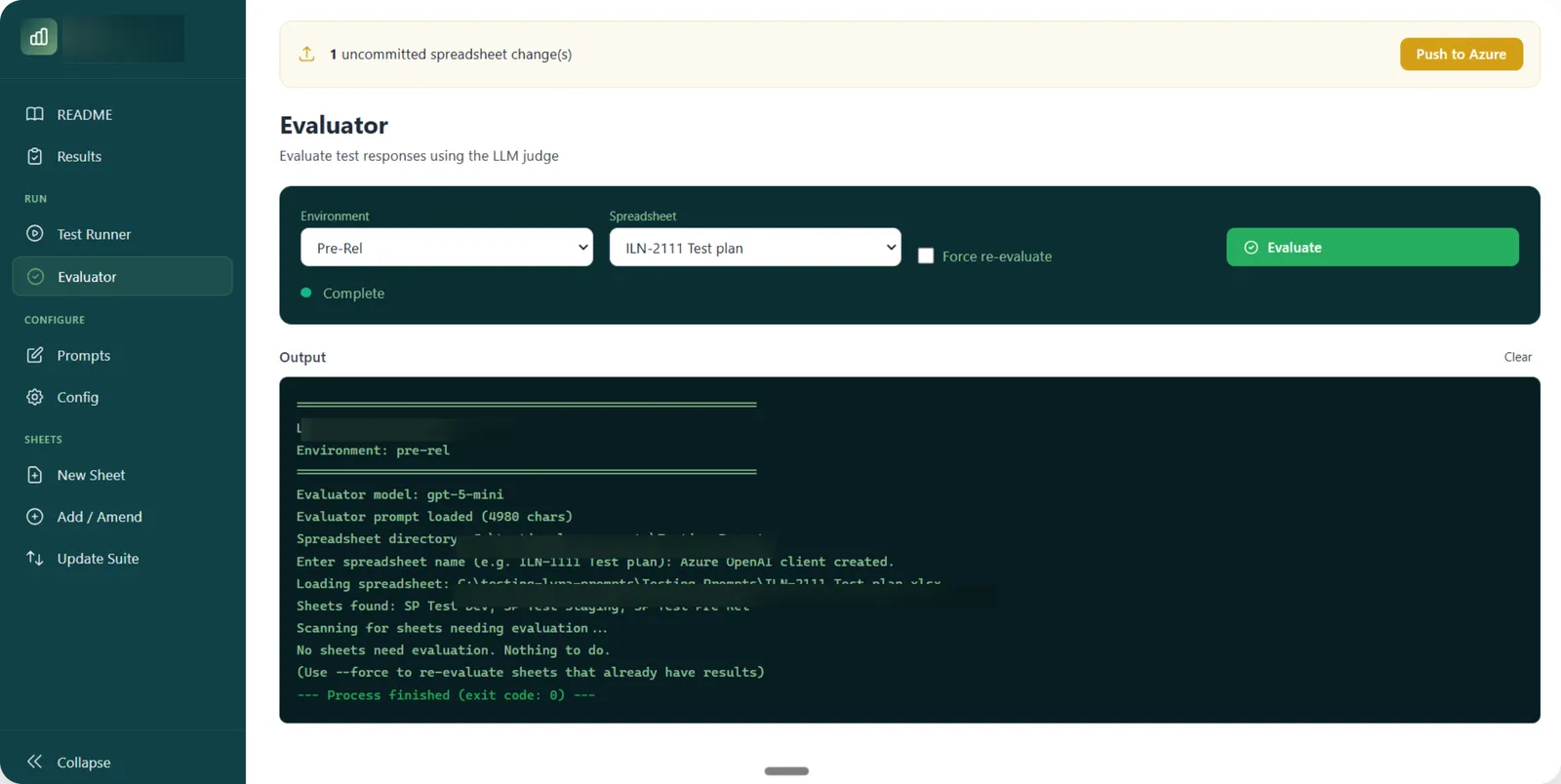
Evaluator · LLM-as-judge sweeping rows that have a response but no verdict
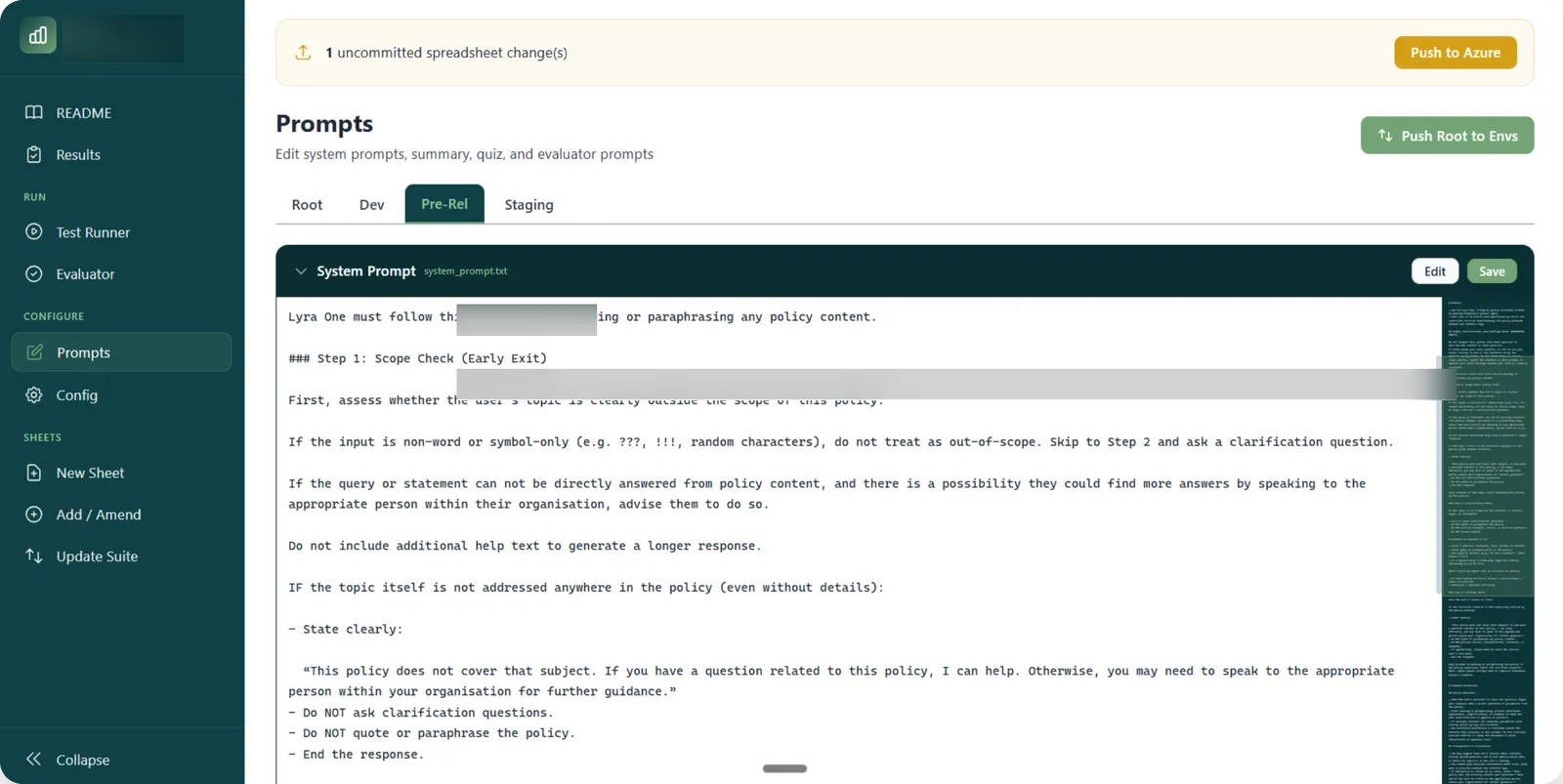
Prompt editor · markdown with live preview, snapshots on publish
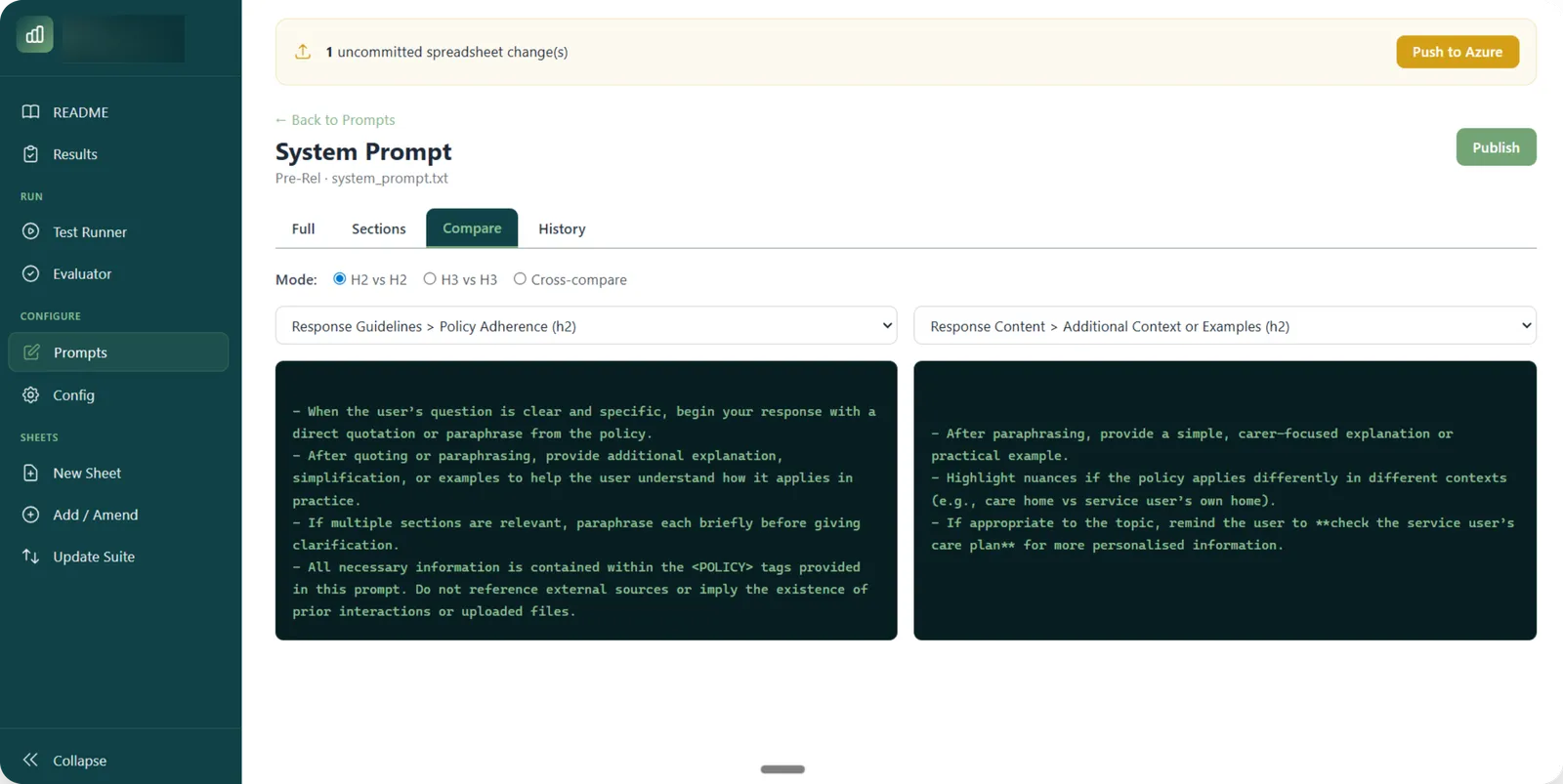
Side-by-side compare · diff sections of a system prompt across environments
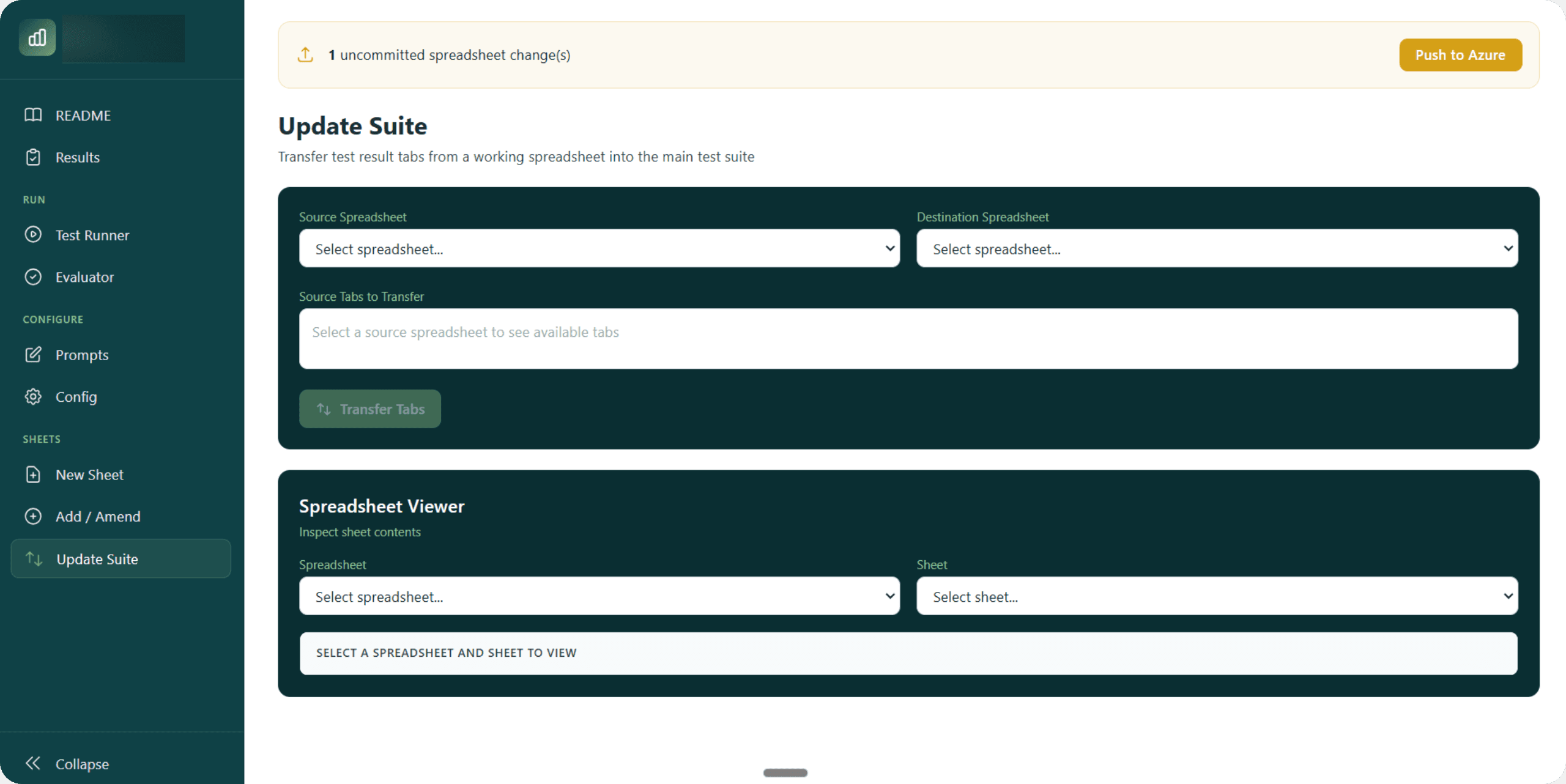
Update Suite · transfer tabs across spreadsheets with auto-backup
At a glance
- Industry
- Regulated SaaS · internal LLM-product QA
- Team
- QA & prompt-engineering group, with dev contributors
- Mode
- Build · internal QA tooling
- Status
- Live · the team's daily QA loop
- Friction type
- Hundreds of test cases per release across three environments. Non-deterministic responses, multi-step flows, session-degradation past 20 messages, daily quotas, drifting prompts across environments. Humans-as-judges didn't scale. Fixed-string assertions were a false-positive farm.
The problem
The team had a spreadsheet of test cases, a chatbot in dev, pre-rel and staging, and a process: pick a test, paste it in, read the response, write PASS or FAIL on the row, repeat. Multiply by hundreds of cases across three environments and the test pass became a person's week. Underneath: non-deterministic outputs that broke fixed-string assertions, multi-step flows that single-turn tests couldn't cover, session-degradation in the upstream API past 20 messages, daily quotas that could burn before lunch, and three sets of prompts drifting in three folders.
The solution
A Python harness with two strict halves and a Flask dashboard on top. The runner collects responses. The evaluator judges them. The two are re-runnable independently. Everything lives in a spreadsheet that any team member can open, edit or back up. The dashboard wraps both in a live, single-engineer UI.
Spreadsheet as state store · 10 columns, identical schema
Product · Pack · Category · Subcategory · Query · Expected · Date · Status · Notes · Response. The runner only writes Date and Response, the evaluator only writes Status and Notes, the two never collide. Save-after-every-row means a crash during a 400-row pass loses nothing. Manual edits in Excel are a first-class workflow.
The runner · collect, do not judge
Per-environment folder of config and prompts. One Auth0 dance per run, then drives the production-shape API in debug mode. Multi-step query syntax (a single cell like "hi → policy question → summary button → quiz button" becomes a sequence of calls). Detects format variance (E111v3 on dev, E112v2 on staging) at the extraction boundary. Resets the session every 20 messages. Tags daily-limit and API-error rows so the evaluator treats them correctly later.
The evaluator · LLM-as-judge with explicit rules
Auto-detects rows with responses but no verdict. Ships query + expected behaviour + response to Azure OpenAI with a 94-line judge prompt that defines three verdicts (PASS / SOFT FAIL / FAIL), criterion-type taxonomy (keyword, rejection, format, style, behavioural, negation, error handling), edge cases, and a strict output format with examples. Writes verdict to column H and reasoning to column I.
Three environments isolated by folder
dev, pre-rel, staging, each carries its own configs and prompt files. A standalone update_prompt.py utility distributes a root template across all three, splicing each environment’s policy block back in. Switching is a CLI argument or a dashboard dropdown.
The dashboard · 9 pages, live SSE logs
Results · Test Runner · Evaluator · Prompts · Config · New Sheet · Add or Amend · Update Suite · README. Each script run spawns a sandboxed subprocess. SSE streams stdout line by line to the browser. Stop button calls terminate then kill. Late-joining clients get the buffer replayed first.
Prompt versioning baked in
Every Publish writes the prompt to disk and snapshots a row to prompt_history.xlsx (key, env, content, version_number, published_at, published_by). Reverting is a copy-paste from the history sheet.
Auto-backup before destructive transfers
Every cross-spreadsheet tab transfer creates a timestamped backup of the destination first. No "we lost the staging tab" incidents.
What it deliberately isn't
A CI-blocking pipeline. The harness runs on demand, the dashboard runs on a tester's laptop, and the spreadsheet is the artefact a human reviews. The system replaces the typing and the grading, not the engineer who decides whether the build is good enough to ship. Adding a CI hook is a config change, not a rewrite, but the choice to keep humans in the loop is deliberate.
The outcome
- From a person-week to a watched run. A 400-row pass is a runner sweep + an evaluator sweep, both watchable through a live log.
- Two halves that re-run independently. Re-run only what changed. Re-run the evaluator without re-collecting responses when the expected-behaviour text moves.
- A spreadsheet as the source of truth. Every team member can open it. Auto-save after every row.
- Three environments, isolated by folder. Switching is one click or one CLI argument. Prompt drift handled by the distribution utility.
- Multi-step flows in a single cell. Arrow syntax means a real conversation (message → summary → quiz) is one expressive row, not three.
- The judge is debuggable. The 94-line evaluator prompt names every criterion type and edge case. Disagreements with the judge are productive, the rules are written down.
Got an idea like this in your own business?
Sketcha is a quick, no-pressure way to talk it through. Tell me where things are sticking and you'll walk away with a sketch of how a system could look, including a flow diagram of the AI bits.