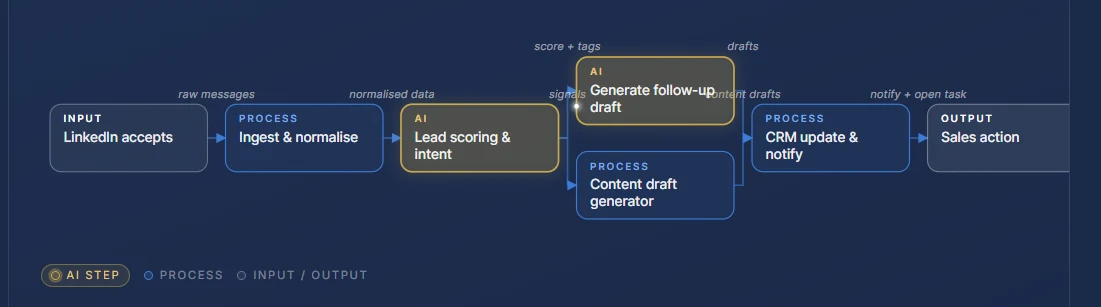
Claude-Configured Daily Operations System for High-Pressure B2B Account Managers
Eight account managers, each carrying a portfolio of 30–50 active prospects on three-to-nine-month sales cycles. Buying groups large, regulatory load high, calendars rebuilt before lunch most days. The Monday team update kept slipping. The reps weren't lazy, they were fully booked. We didn't build software. We configured Claude with three precision-engineered tools, agreed one folder convention, scheduled two snapshots a day, and let the team get their day back without learning a new platform.
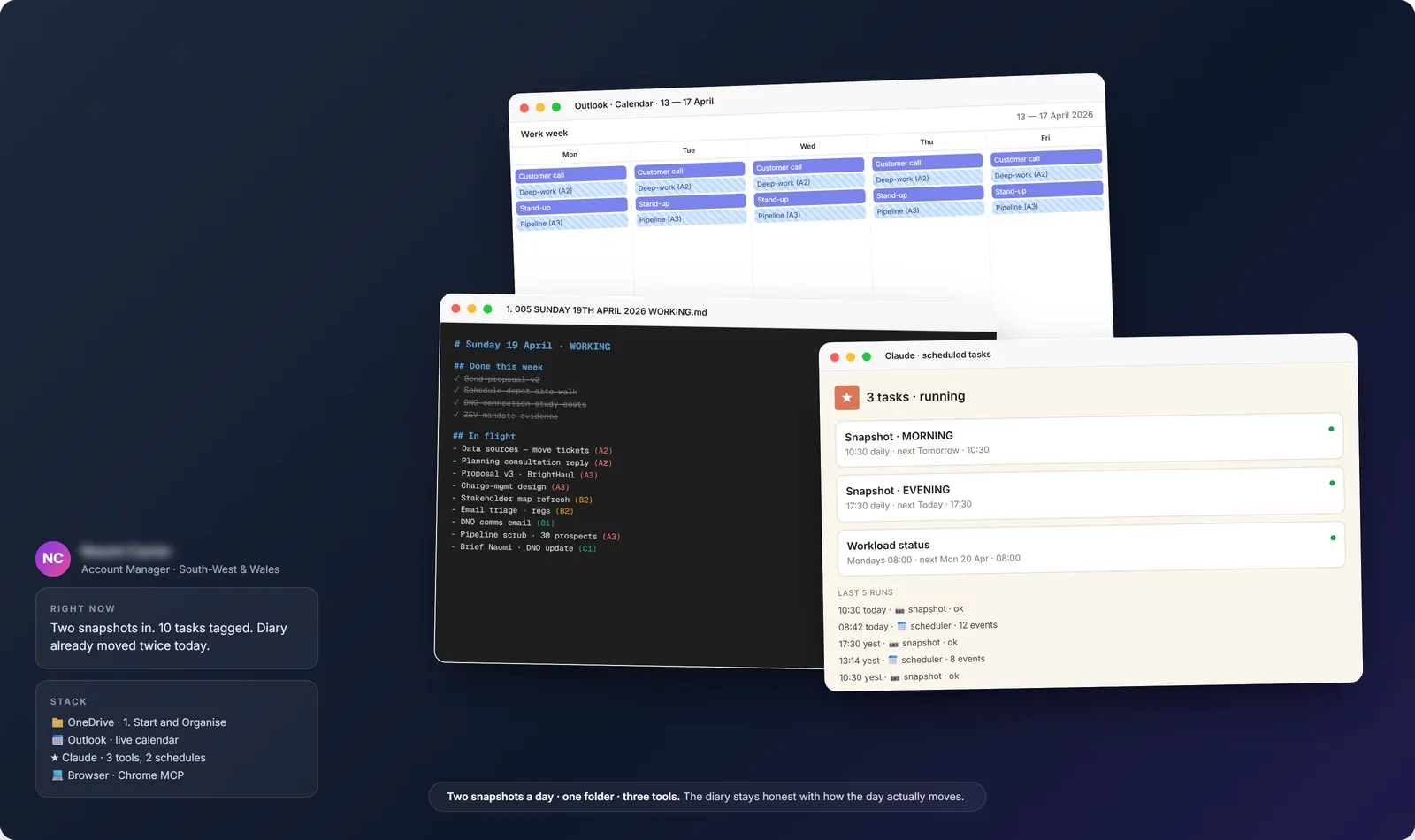
The whole system in one view · OneDrive · Outlook · Claude
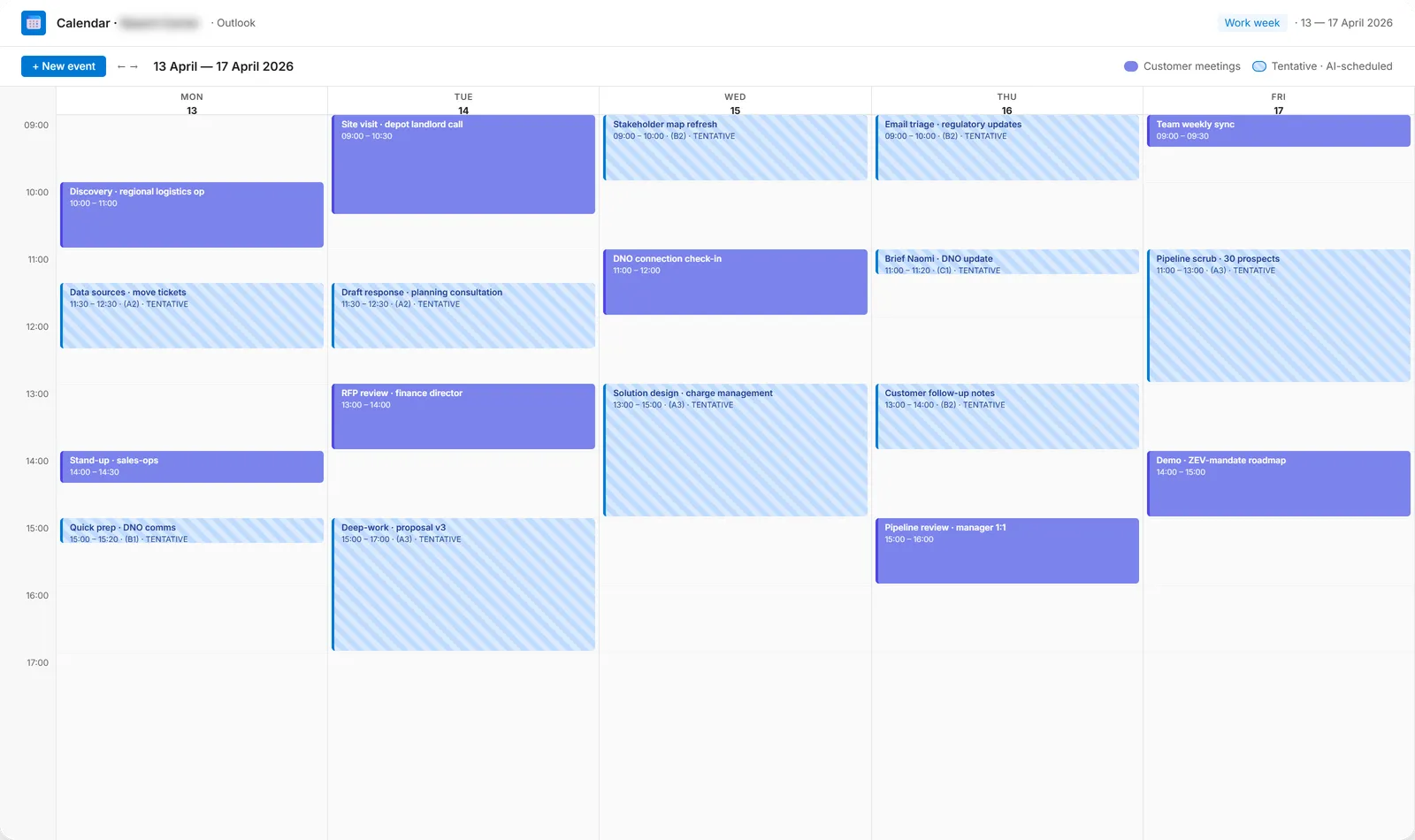
Outlook · AI-scheduled blocks (blue, tentative) around existing customer meetings
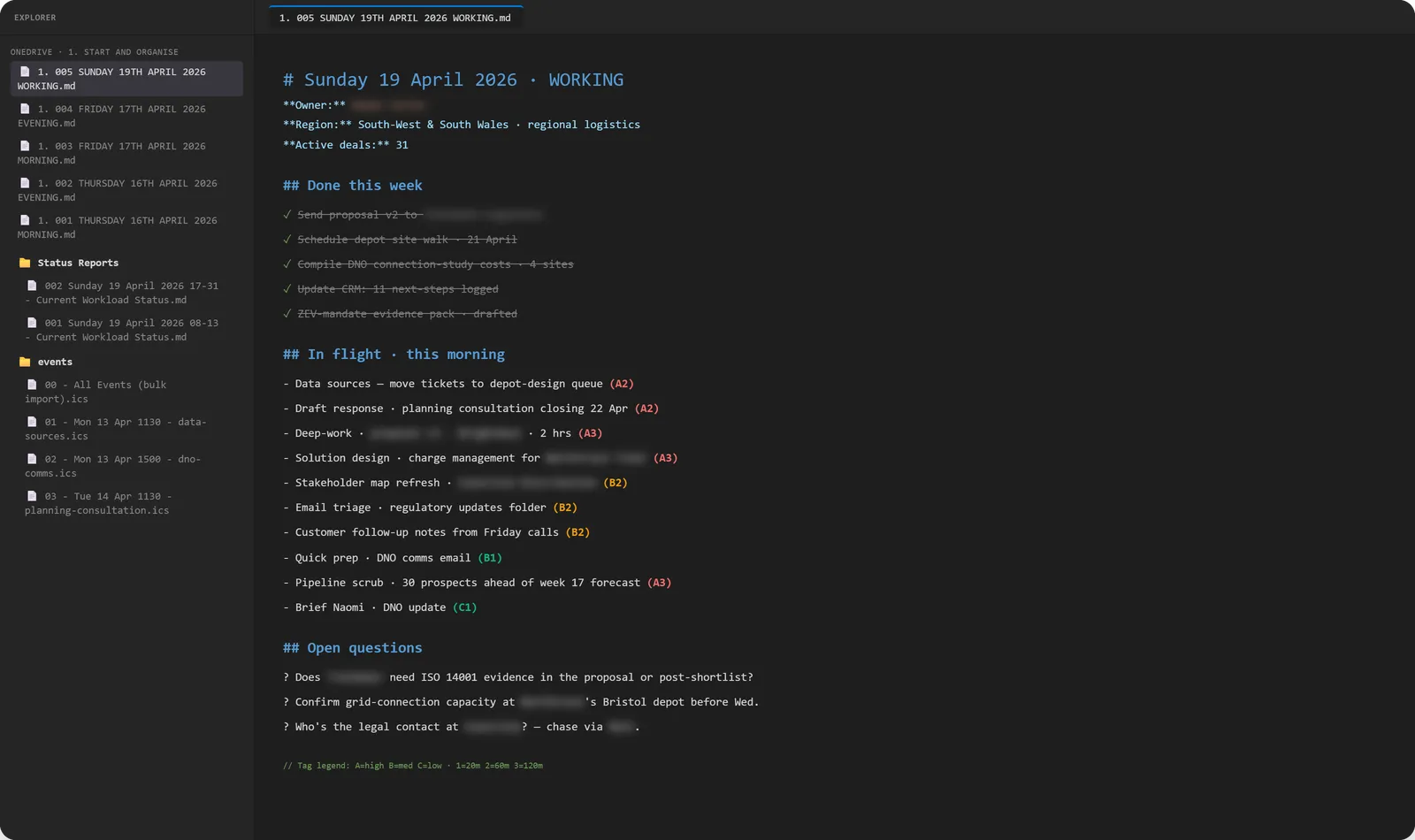
Working document · tagged to-dos with priority + duration codes
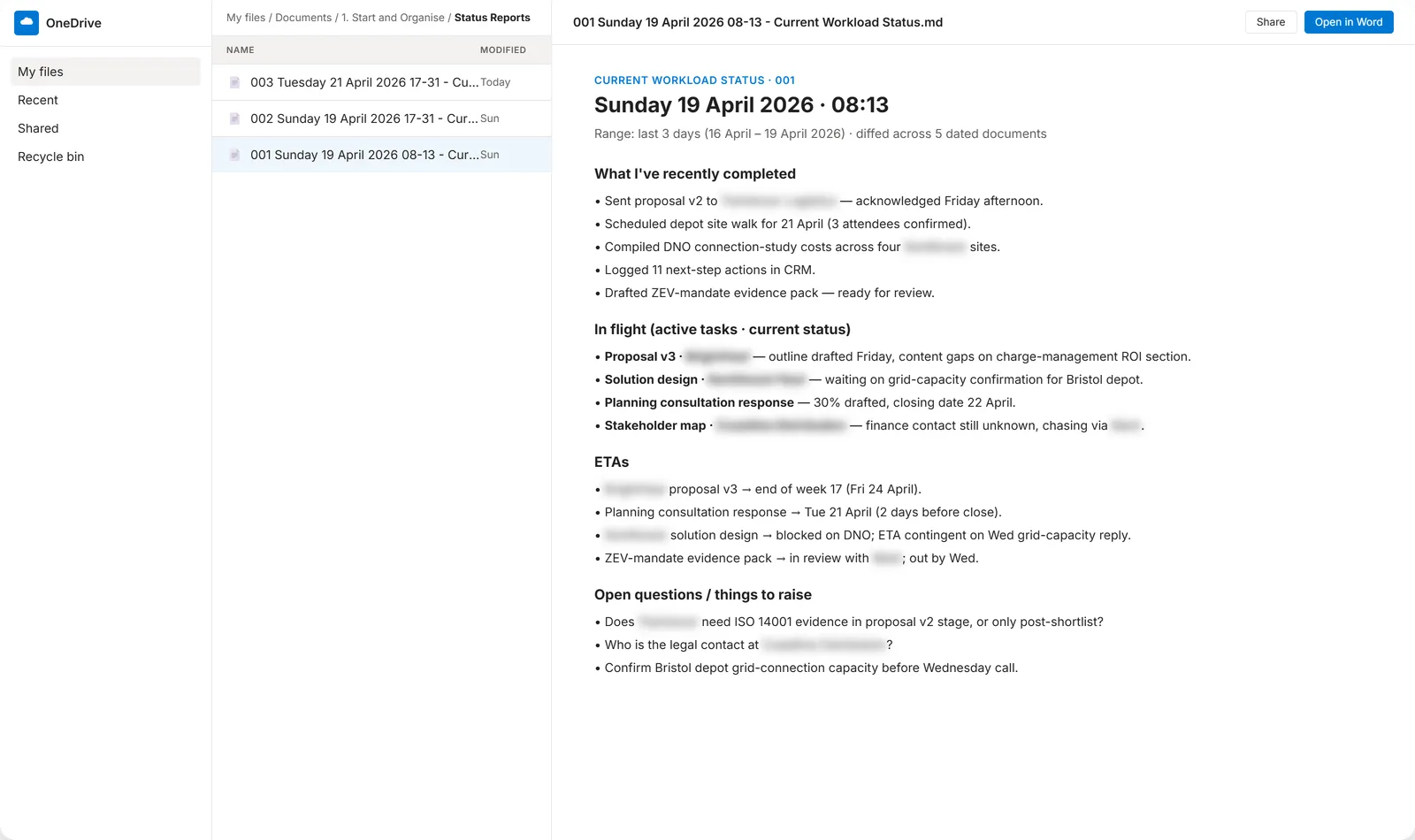
Workload status report · diffed across snapshots, ready for the team update
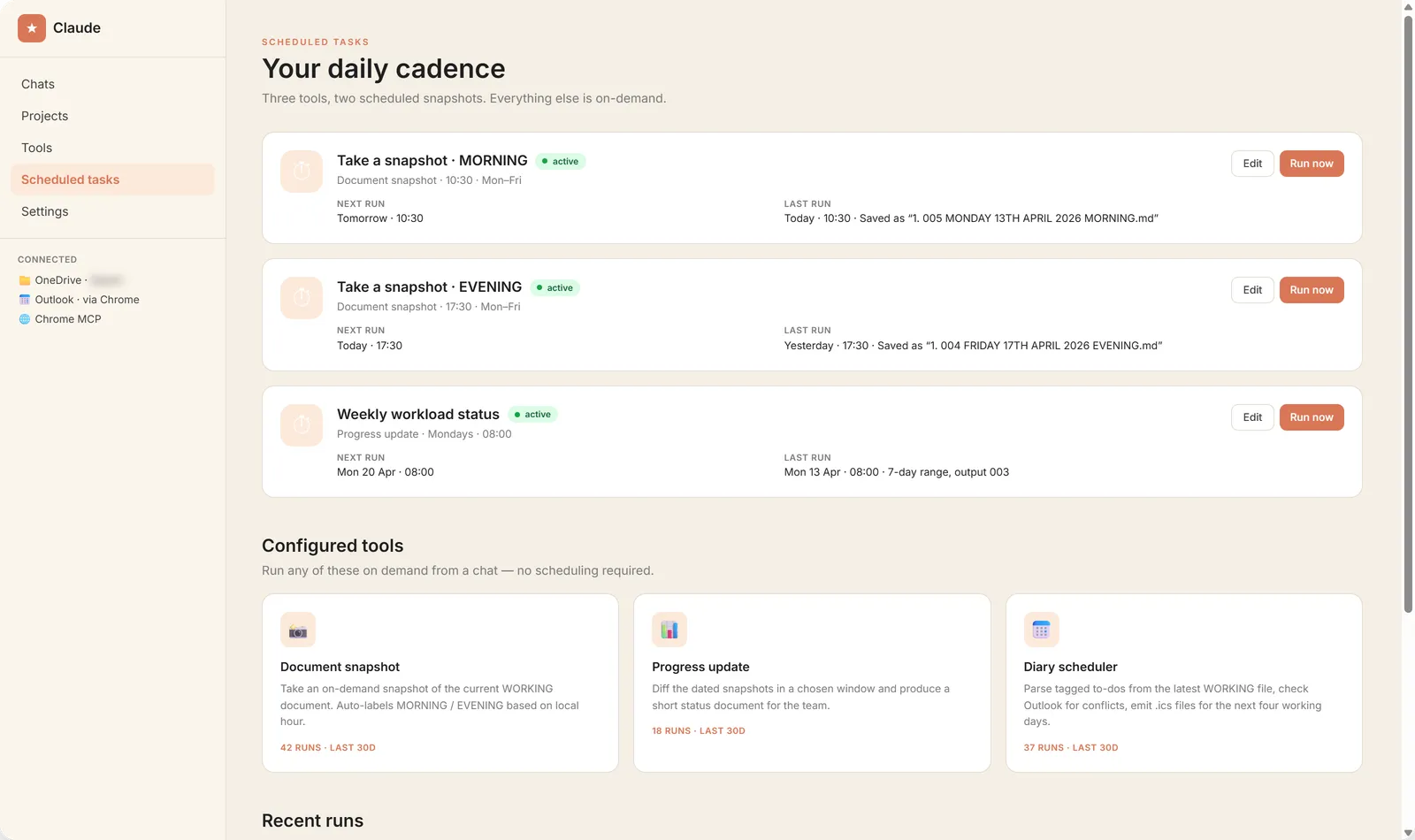
Claude · three configured tools, two scheduled snapshots, run history
At a glance
- Industry
- B2B SaaS · commercial fleet electrification (charge-management software)
- Team
- 8 account managers + sales-ops lead
- Mode
- Train + Configure · no bespoke code
- Status
- Live · 4 months in · all 8 reps adopted
- Friction type
- Day-to-day workload that shifts hourly. 30–50 active prospects per rep, multiple stakeholders per deal (operations, fleet, finance, sustainability, depot landlords, DNO operators, compliance), regulatory deadlines (planning permissions, grid-connection windows, ZEV mandates), and a calendar that gets rebuilt before lunch most days. Status updates kept slipping; the reps weren't lazy, they were fully booked.
The problem
Account managers were spending the first hour of every morning trying to remember where they were on each deal. By the time they had reconstructed the picture, two new things had moved and they had to start again. Documents were never in the same shape twice. The Monday team update was the first thing to slip in a busy week. Discovery calls got moved by prospect availability, depot site visits got pulled in by landlord schedules, RFP deadlines slid, by 13:00 the morning's plan was wrong, and reps stopped trying to schedule deep-work blocks because they kept getting overwritten.
The sales-ops lead had tried Salesforce custom fields, Notion templates, a Loop board, a weekly Friday stand-up. Each layer survived a few weeks and then degraded under workload.
The solution
No bespoke software. Claude, configured with three precision-engineered tools, two scheduled tasks per rep, and one strict folder convention. The whole system runs on each rep's existing Microsoft 365 setup. The reps don't change tools; the tools change how they're used.
Tool 1 · Document snapshot
An on-demand plain copy of the rep's WORKING markdown document, auto-labelled MORNING or EVENING based on the local hour. Identifies the working file by filename pattern, computes the next 3-digit sequence number across all files in the folder, never overwrites an existing snapshot, never modifies the source. Run scheduled at 10:30 and 17:30 every working day, and on demand any time in between.
Tool 2 · Workload status report
Diffs every dated snapshot inside a chosen window (default: last 3 days) and produces a short, scannable status document with exactly four sections: range used, what's recently been completed, what's in flight with current status, ETAs (or the reason ETA can't be given), open questions. Writes a numbered output into a Status Reports/ subfolder so previous reports are never overwritten.
Tool 3 · Diary scheduler
Parses tagged to-dos from the latest WORKING file (priority A/B/C × duration 20m/60m/120m), reads existing Outlook events via the Chrome connector, applies a 30-minute buffer before and after every existing event, schedules across the next four working days, and emits importable .ics files. Events are TENTATIVE, Blue Category, no attendees, no Teams link. The rep imports them, Claude never writes to the calendar directly.
Two scheduled snapshots a day
10:30 → MORNING snapshot. 17:30 → EVENING snapshot. By 10:31 the rep has a clean record of where they were before the day re-shapes itself. By 17:31 they've captured what actually happened. The week's snapshots feed the workload status report.
One folder convention
Documents/1. Start and Organise/, one WORKING file at a time prefixed with the next sequence number, snapshot files in the same folder also sequence-numbered, a Status Reports/ subfolder for the workload reports, an events/ subfolder for the .ics output. No database, no API, no synchronisation. OneDrive does the syncing. Markdown does the storage. Filename conventions do the indexing.
Calendar-aware planning that survives the day
The rep re-runs the diary scheduler whenever the calendar shifts, typically first thing in the morning and again after lunch. Each run reads the current state of Outlook, replans against the new shape of the day, and emits a fresh .ics set. The system is built for the messy reality, not an idealised version of it.
Configure-not-build trade-off
Three tool prompts at user level, two scheduled tasks, one folder convention. The reps can re-create the system on a fresh machine in under an hour by setting up OneDrive, signing in to Outlook, and pasting in the three tool prompts. If Claude changed tomorrow, the markdown documents would still be readable.
What it deliberately isn't
Not a CRM. The deal record stays in Salesforce. The system tracks the rep's work, not the customer record. Not autonomous. The scheduler emits .ics files; the rep imports them. The status report is generated; the rep edits before sharing. Claude proposes, the rep disposes. Not bespoke software. Nothing was built that the team has to maintain. Not “let the AI run my day.” The point is the opposite: give the rep a system that survives the chaos of their actual day, and let the rep stay in control of every decision.
The outcome
- Status updates that actually happen. Sales-ops runs the workload report against everyone's Status Reports/ folder on Monday morning and has the team meeting prepared in 15 minutes.
- A diary that survives the day. Re-run the scheduler after lunch when half the morning's plan has shifted, get a fresh .ics set that respects the new state of the calendar, import it, move on.
- 30-second answer to “where are you?” The rep produces a current workload status in seconds, not minutes. Customer calls open with a clearer picture; manager 1:1s start with the document already drafted.
- Documentation that compounds. Two snapshots a day × twenty days × eight reps ≈ 320 timestamped documents per month per rep. All diffable, all queryable, no “lessons-learned” doc required.
- Time saved (honest read). Reps self-report 45–75 minutes back per day. The bigger win wasn't time saved, it was the day not falling apart at 13:00 when the calendar reshuffled.
- Zero new tools to maintain. No platform to evangelise. The reps already lived in OneDrive and Outlook. Adoption was a folder convention plus three configured tools.
Lessons
The instinct on a problem like this is to build a CRM extension or a custom workflow tool. The right answer is often the opposite: configure the AI tooling the team already has, agree a folder convention everyone respects, schedule the cadence that makes the data useful. Two snapshots a day, one folder, three tools. The reps stayed in control of every decision, the diary stayed honest with the day's shifts, and the team update stopped being the last thing to slip in a busy week.
Got an idea like this in your own business?
Sketcha is a quick, no-pressure way to talk it through. Tell me where things are sticking and you'll walk away with a sketch of how a system could look, including a flow diagram of the AI bits.